Create a seating chart that looks like it came from a designer.
Upload your guest list, choose a wedding backdrop, and generate a poster-ready seating chart that scales beautifully for intimate dinners and large receptions alike.
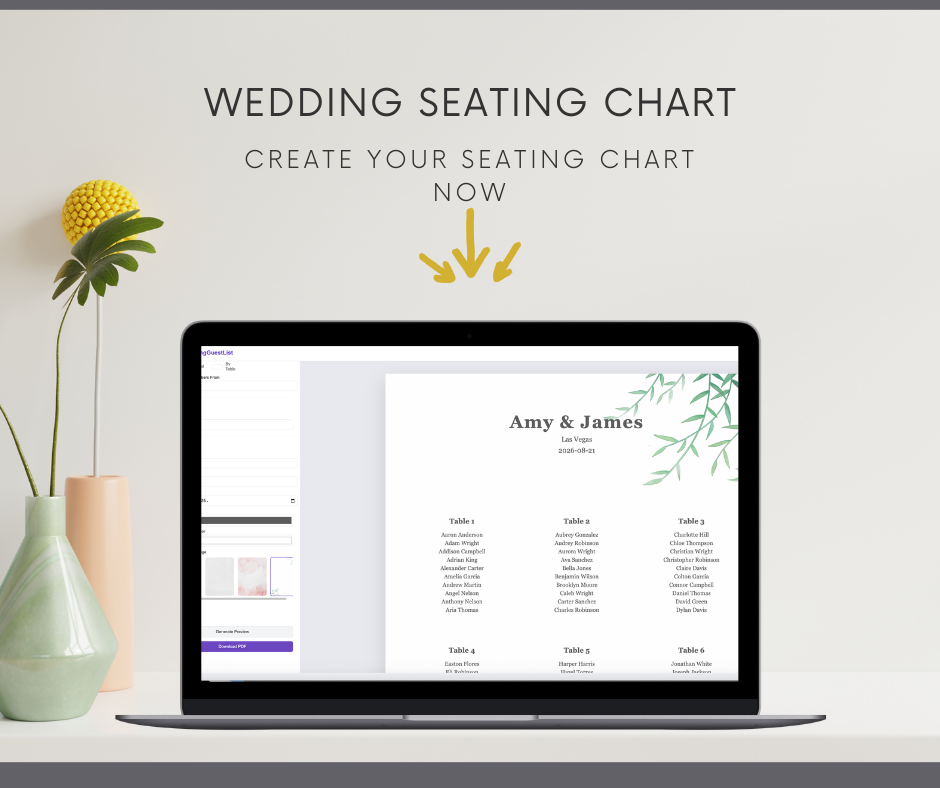
Built for the final display, not just the planning spreadsheet.
MyWeddingGuestList keeps the practical part simple while giving you a polished poster that feels on-theme with your wedding stationery.
Beautiful typography
Keep the whole design clean and modern with polished sans-serif typography throughout the chart.
Flexible table logic
Keep table assignments from your CSV, generate tables automatically, or force a fixed number of tables.
Print-first exports
Download a PDF that is sized for large-format wedding signage and previewed before you commit.
From guest list to wedding sign in three calm steps.
Everything happens in one place, so you can stop juggling layout apps, last-minute print tweaks, and awkward table edits.
Upload your CSV
Import guest names and optionally a table column if you already arranged seating elsewhere.
Choose the look
Set the couple names, location, date, colors, fonts, and floral or minimalist background style.
Preview and export
Check the live poster, adjust columns or table sizing if needed, then download the final PDF.
Start with a wedding backdrop that already feels close to your day.
Each design opens in the editor so you can keep the look you like and still customize the details.





Explore templates by color, style, format, and guest count.
If you landed here looking for a specific wedding seating chart template, these hubs jump straight into the most relevant layouts.
Color templates
Sage green, pink, white, neutral, and other wedding palette ideas.
Style templates
Classic, romantic, formal, minimalist, and floral design directions.
Guest-count templates
Layouts tuned for smaller dinners and larger reception seating charts.
Layout templates
Round table charts, long-table arrangements, and display-friendly formats.
Venue templates
Designs that feel at home in gardens, ballrooms, barns, and destination venues.
Sign templates
Poster-style wedding seating chart signs ready for display at reception entry.
“It saved us hours of rearranging tables and the finished poster looked like it belonged with the rest of our wedding paper.”
Upload the guest spreadsheet you already have, then use the editor to make it feel intentional and print-ready.
What people usually want to know before they start.
Can I upload Excel or Google Sheets files directly?
The editor works with CSV files. If your guest list is in Excel or Google Sheets, export it as CSV first and then upload it.
Can I keep my own table assignments?
Yes. If your CSV includes a table column, the editor can keep those table names and build the poster around them.
What poster sizes are supported?
The app automatically scales the layout for A2, A1, and A0 poster sizes depending on the number of guests and columns.
Can I preview the design before downloading?
Yes. The editor shows a live poster preview so you can check the layout before exporting the PDF.